
Commercial IPTV Network Requirements
What a hotel, office, or commercial building network needs before IPTV goes live: Ethernet cabling, multicast switching, bandwidth, and testing.
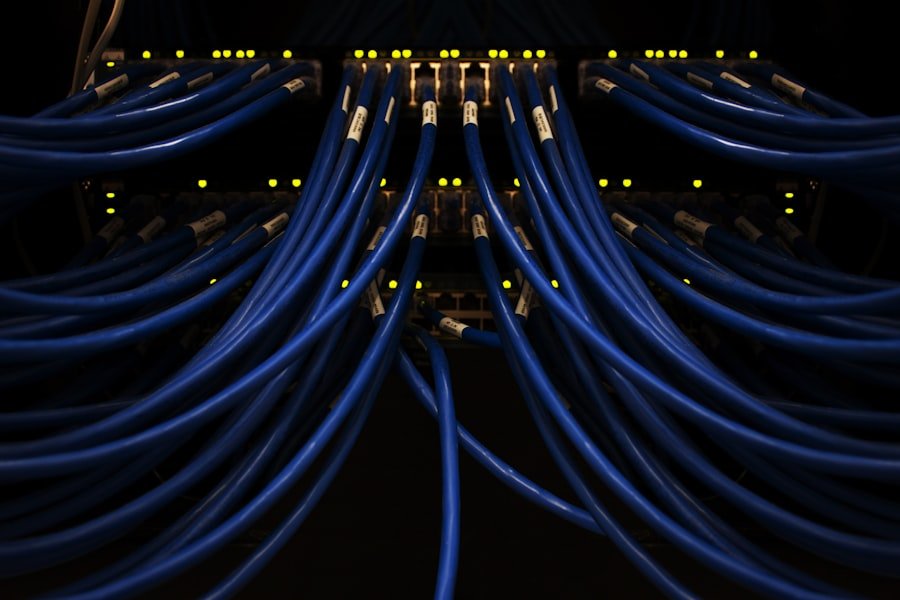
How IPTV Uses Your Ethernet Network
IPTV delivers live video as network traffic. Equipment at the head end receives or encodes the video, the network carries it, and a receiver or network-connected display at each screen decodes it. In a hotel, office, or other commercial building, that means the data network becomes part of the TV system.
Because video streams are continuous, they expose weaknesses that ordinary web and email traffic hides. A marginal cable, an undersized uplink, or a misconfigured switch can cause pixelation or dropouts that are hard to trace after the fact. Planning the network first is cheaper than diagnosing it later.
This guide covers the network and cabling side only. Channel subscriptions and programming licenses are separate arrangements between you and your content provider.
Cabling Requirements for IPTV
Each screen location should have its own tested Ethernet run back to a patch panel in the network closet. Copper runs are limited to roughly 100 meters including patch cords, so larger buildings add closets connected by fiber rather than stretching copper past its limit.
Use a cable grade appropriate to the building and future bandwidth, label both ends, and keep a port map that shows which jack feeds which screen. Testing every link before the receivers go in removes the cabling as a suspect when problems appear.
- ✓One dedicated Ethernet run per receiver or display location
- ✓Terminations on a labeled patch panel with a written port map
- ✓Fiber between closets where distance or bandwidth requires it
- ✓Link testing recorded for every run before equipment is connected
Related Services
Multicast and Switching Requirements
Multicast lets one stream reach many receivers without a separate copy for each. For that to work well, the switches need to manage multicast groups rather than flooding the traffic to every port. IGMP snooping and an IGMP querier are the common mechanisms, and the correct settings depend on your switch models and on how many VLANs and switches the stream crosses.
If receivers sit on a different VLAN or subnet from the source, multicast routing may also be needed. Unmanaged switches are generally a poor fit for multicast distribution because they cannot limit where the traffic goes. Review switch capabilities with your IT team or integrator before finalizing the design.
- ✓Managed switches that support IGMP snooping
- ✓A working IGMP querier on each relevant VLAN
- ✓Multicast routing if streams cross VLANs or subnets
- ✓Uplinks sized for the combined streams, not just average traffic
Bandwidth and VLAN Planning
Add up the streams you plan to carry and compare the total with uplink capacity between switches, with headroom for other traffic. Stream bitrates vary by the IPTV platform and encoder settings, so use figures from your equipment documentation rather than a rule of thumb.
Many deployments place IPTV on its own VLAN so video traffic stays separate from guest, office, and management traffic. Quality-of-service settings can further protect streams on busy links. The design should be written down so the next technician understands it.
Equipment, Receivers, and Compatibility
Receiver and encoder choices drive the network requirements, so confirm equipment before the switch plan is final. We work with compatible Haivision equipment as part of IPTV integration. Compatibility depends on specific models, firmware, and configuration, and we confirm what is supported during planning instead of assuming it.
Haivision is a trademark of its owner. Product names appear here only to describe compatibility, and no endorsement or partner status is implied.
Testing and Troubleshooting
After installation, test each location with the receiver in place, not only the cable. Check that the stream starts reliably, holds under normal network load, and recovers after a receiver or switch restart. Document the settings used so changes can be compared against a known-good state.
When video problems appear, work from the bottom up: cable link, port settings, switch multicast behavior, uplink utilization, then receiver configuration. A labeled, tested cabling plant makes that process much faster. If you want help planning or troubleshooting an IPTV network in the Las Vegas area, you can request a quote or call (702) 479-5566.
Frequently Asked Questions
Quick answers about commercial iptv network requirements and planning your project.
Does IPTV need a dedicated network?
Not necessarily a separate physical network, but many installations place IPTV on its own VLAN and size the uplinks for the combined streams. The right design depends on the equipment, the number of screens, and the traffic already on the network.
Why does IPTV need multicast-capable switches?
Multicast lets one stream reach many receivers without a separate copy for each. Managed switches with IGMP snooping keep that traffic off ports that do not need it. Without this, video can flood the network and cause problems for other devices.
Can unmanaged switches be used for IPTV?
Usually they are a poor fit for multicast distribution because they cannot limit where the traffic goes. Review each switch model with your IT team or integrator before relying on it.
Do you sell TV channels or programming?
No. We handle technical installation, equipment configuration, network integration, and testing. We do not currently sell, purchase, or manage TV channel subscriptions or programming licenses.
Have a question about your specific installation? Call (702) 479-5566 or request a quote.
Have a data cabling project in Las Vegas?
We provide free estimates for ethernet, fiber, WiFi, VoIP, and low-voltage cabling across the Las Vegas valley. Call us or request a quote online.
Related Services
Network Cabling Services
Structured network cabling for offices, clinics, and warehouses. Built for reliability with proper testing, labeling, and documentation.
Learn more →Structured Cabling
Standards-based structured cabling systems for voice and data. Scalable infrastructure with proper documentation and cable certification.
Learn more →Commercial IPTV Installation
IPTV installation, receiver configuration, multicast network integration, and testing for hotels, offices, and commercial facilities.
Learn more →More Articles
November 4, 2026 · 4 min read
Data Center Cabling Upgrade: Reducing Disruption During a Refresh
Planning a data center cabling upgrade in Nevada? Use a phased inventory, migration map, cable labels and rollback plan to reduce operational risk.
November 4, 2026 · 4 min read
Business VoIP Phone Cabling in Las Vegas: What Offices Need
Learn how IP phones use Ethernet and PoE, when dedicated drops make sense, and what your IT provider and cabling installer should coordinate.
Need data cabling in Las Vegas?
Las Vegas Data Cabling provides ethernet, fiber, WiFi, VoIP, and low-voltage cabling for businesses across the Las Vegas valley. Get a free quote.